

Your website’s loading speed can really influence how visitors experience your content. A quicker site not only improves user satisfaction but also keeps them engaged longer.
Many folks mistakenly think a theme change is necessary for better performance, but there are actually simpler approaches to enhance page load time without a complete overhaul.
Image compression stands out as an effective strategy; by reducing file sizes, you can notably enhance site performance while maintaining visual quality.
Similarly, caching is another handy technique that saves copies of your pages, allowing quick access for repeat visitors.
Embracing these methods can elevate your website’s performance significantly, enhancing website optimization through improved page load time, effective caching, and efficient image compression.
Here are our secret tips just for you:
| Action | Description | Tools/Plugins | Benefit |
|---|---|---|---|
| Optimize Images | Compress and serve properly sized images | ShortPixel, Smush, TinyPNG | Reduces page size and load time |
| Enable Caching | Stores static versions of pages for faster delivery | WP Rocket, W3 Total Cache, LiteSpeed Cache | Speeds up repeat visits |
| Use a CDN (Content Delivery Network) | Delivers content via global servers closer to the user | Cloudflare, BunnyCDN, StackPath | Improves global load times |
| Minify CSS, JS, and HTML | Removes whitespace and reduces file size | Autoptimize, WP Rocket | Faster file transfer |
| Lazy Load Images & Videos | Loads media only when it enters the viewport | Lazy Load by WP Rocket, a3 Lazy Load | Speeds up initial page load |
| Limit Plugins | Disable or remove unnecessary or slow plugins | Query Monitor, Plugin Organizer | Reduces server load |
| Use Faster Hosting | Upgrade to performance-optimized hosting provider | SiteGround, Kinsta, WP Engine | Improves server response time |
| Reduce HTTP Requests | Limit number of external files (fonts, icons, etc.) | GTmetrix, Chrome DevTools | Decreases total load time |
| Database Optimization | Clean up and optimize WordPress database | WP-Optimize, Advanced Database Cleaner | Reduces query time and bloat |
| Use GZIP Compression | Compress files before sending to the browser | Enabled via .htaccess or caching plugin | Speeds up file delivery |
| Preload Key Resources | Helps browser prioritize important files | WP Rocket, Perfmatters | Improves perceived loading speed |
| Disable Emojis and Embeds | Reduces unnecessary JS from loading | Code snippet or Perfmatters plugin | Saves on requests and file size |
Understanding Website Optimization Techniques

Tuning up your online space is a lot like giving your car a good check-up. Keeping everything running smoothly makes a world of difference! When we think about enhancing our sites, we delve into areas like server response time and user experience.
These tweaks can boost visitor satisfaction and even help you climb those search engine rankings.
For example, managing your server response time significantly speeds up how quickly your site loads, making visitors happier.
Another handy technique is minification, which streamlines your code by cutting out unnecessary characters, helping your pages load faster. Plus, implementing browser caching can be a game changer, allowing your regular visitors to access your site in a flash, creating a seamless browsing experience. Each of these adjustments, though small, can lead to a big improvement in website performance and user experience.
Why Is Page Load Time Crucial
Think about the last time you clicked on a slow-loading website. Pretty annoying, right? A site that zips along can set a positive tone right from the start.
Research reveals that nearly 40% of visitors will bail if a site takes longer than three seconds to load.
That’s quite a number! When your website performs well, users are more inclined to stay and dive into your offerings.
This not only enhances retention but also boosts how people view your brand. It’s a win-win for everyone involved.
Speed plays a significant role in search engine rankings too.
For instance, Google weighs performance heavily, so if your site lags behind, you might find yourself slipping in search results. Sites that load within two seconds can enjoy a 15% bump in conversion rates when compared to slower sites. Implementing strategies like CSS optimization, lazy loading, database tuning, code splitting, and HTTP2 can significantly enhance website performance and user experience.
Analyzing Site Performance Metrics
Getting a grip on how your website operates can really transform your online presence. Performance metrics play a significant role in shaping user experience and directly influence your SEO efforts.
Metrics like load time and Time to First Byte (TTFB) offer insights into how users engage with your site.
Utilizing tools like GTmetrix and PageSpeed Insights helps you dive deeper into these metrics.
With performance testing, it’s easier to spot bottlenecks and effectively optimize your site. Even minor tweaks can lead to noticeable improvements in site speed and overall user satisfaction.
Shifting from load time, it’s essential to look at what caching can do for your site.
Caching can drastically reduce load times, making your website feel more responsive to users. By storing copies of web pages, you can improve performance testing using tools like GTmetrix and PageSpeed Insights, and optimize web hosting and CDN services.
What Is Caching And Its Benefits?

Imagine visiting your favorite café, and when you order your go-to drink, it’s ready before you even sit down. That’s what happens behind the scenes of your website, where techniques come into play to streamline access to your web assets.
When a visitor returns, the site fetches previously stored copies, allowing for faster loading times.
There are various types of caching, like browser caching and server-side caching, each playing its part to improve performance metrics.
By implementing caching effectively, you can tackle issues like network latency, resulting in a smoother experience for users and keeping them engaged.
Benefits of Caching: Speed is the name of the game here. It transforms your site into a snappier version of itself, enhancing user experience along the way. Effective bandwidth management is crucial for optimizing network latency, improving responsive design, and analyzing performance metrics of web assets.
Caching
- Browser caching can reduce load times by up to 50% for returning visitors.
- Server-side caching can handle up to 80% of web requests without hitting the database.
- Effective caching strategies can lead to a 20% increase in user engagement and retention.
- Optimized caching can decrease bandwidth usage by up to 60%, improving overall performance metrics.
Effective Image Compression Methods
Have you ever wondered why certain websites whisk you away with lightning-fast image loads, while others leave you staring at a spinning wheel?. By focusing on resource prioritization, you can streamline your images, enhancing the overall user experience and boosting your site’s performance metrics.
To kick things off, JPEG works wonders for photographs, offering a lossy compression that significantly reduces file sizes.
For those needing transparency, PNG shines with its lossless compression, ensuring your visuals maintain quality.
If you’re after something modern, WebP stands out as it combines the best features of both formats, leading to better frontend efficiency.
There are plenty of tools at your disposal, too! Online platforms like TinyPNG and CompressJPEG let you compress images quickly without hassle
How Can Browser Caching Improve Speed?
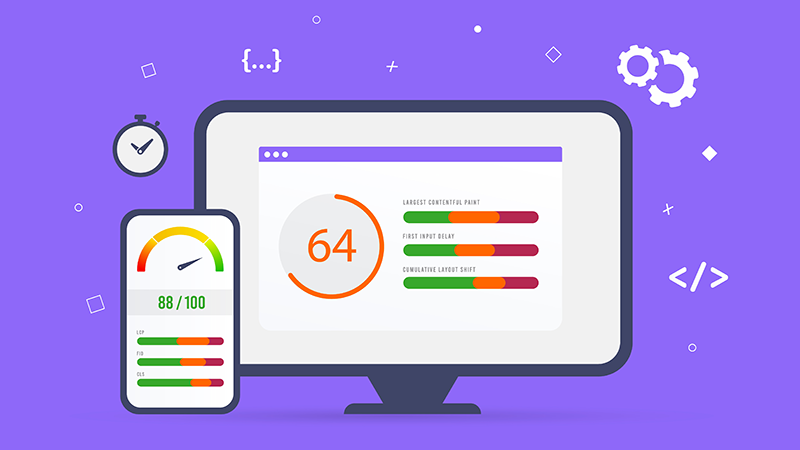
Boosting your site’s performance is simpler than it might seem, thanks to the magic of browser caching.
When users visit your website, certain elements get saved in their browser.
This clever trick means that when they return, their browser can load those elements super-fast instead of retrieving everything all over again.
Faster load times reduce the number of requests to the server, significantly cutting down on lag.
A speedy site not only improves user experience but also encourages visitors to stick around. For those surfing on slower connections, this caching can be a real game-changer, offering uninterrupted access without constant buffering, which is crucial for web accessibility.
If caching isn’t done properly, it can lead to web accessibility issues, poor load balancing, decreased technical SEO effectiveness, negative performance audit results, and an overall detrimental user experience.
Browser Caching
- Browser caching can reduce load times by up to 80% for returning visitors.
- Improved load times can lead to a 7% increase in conversions for e-commerce sites.
- Effective caching strategies can decrease server load by 50%, enhancing overall site performance.
- Websites that load faster can improve user retention rates by 30% or more.
The Role Of Content Delivery Networks
Imagine your website loading as smoothly as a breeze on a sunny day. That’s where the magic of distributed networks comes into play.
These systems of interconnected servers ensure that users enjoy swift access to your site.
High-speed delivery has become a standard expectation among visitors, and with smart implementation, you can make those long waiting times a thing of the past.

Speaking of speed, websites utilizing these networks can load an impressive 70% faster.
This boost is vital when it comes to keeping your audience engaged and satisfied. Incorporating optimization plugins and focusing on file size reduction can elevate user experience by ensuring your content is delivered quickly and efficiently. hosting counterparts by examining factors such as speed tools, benchmarks, server configuration, file size reduction, and optimization plugins for enhanced performance.
Enhancing User Experience Through Performance Tuning
Keeping users content hinges on how quickly your site can serve its goodies. Think about it: a website that zips along not only keeps visitors sticking around but also ramps up their engagement levels.
Surprising as it may seem, 47% of users expect pages to snap to attention in two seconds or less.
That’s where savvy enhancements come into play, ensuring everything is optimized for speed.
Simple tweaks, like compressing images and employing efficient coding techniques, can work wonders on loading times. A solid resource caching strategy can lighten the server’s load and deliver content faster than ever. Every second is a chance to make a good impression, so let’s ensure those fractions of seconds are tailored to your advantage through enhancements like speed strategies, web development, resource caching, and performance tuning.
Website Speed
- 47% of users expect web pages to load in two seconds or less.
- Improving loading times can significantly enhance user engagement and retention.
- Simple optimizations, such as image compression and efficient coding, can drastically reduce loading times.
- A robust resource caching strategy can reduce server load and speed up content delivery.
Conclusion
When we take a step back and look at the bigger picture, it’s fascinating how website performance intertwines with user satisfaction. Conducting a bottleneck analysis allows you to pinpoint those sluggish areas in your site’s responsiveness.
Getting into optimization techniques may seem like a hefty task, but you’d be surprised at how even minor tweaks can lead to remarkable improvements.
Take image compression, for instance; it can slash load times significantly without compromising on quality.
Don’t underestimate the value of analysis tools! They provide direction for your optimization techniques, steering clear of common pitfalls while keeping your website running seamlessly. A faster site translates to a better experience for your users, making their journey enjoyable and effortless
Originally posted 2025-02-10 06:41:35.